

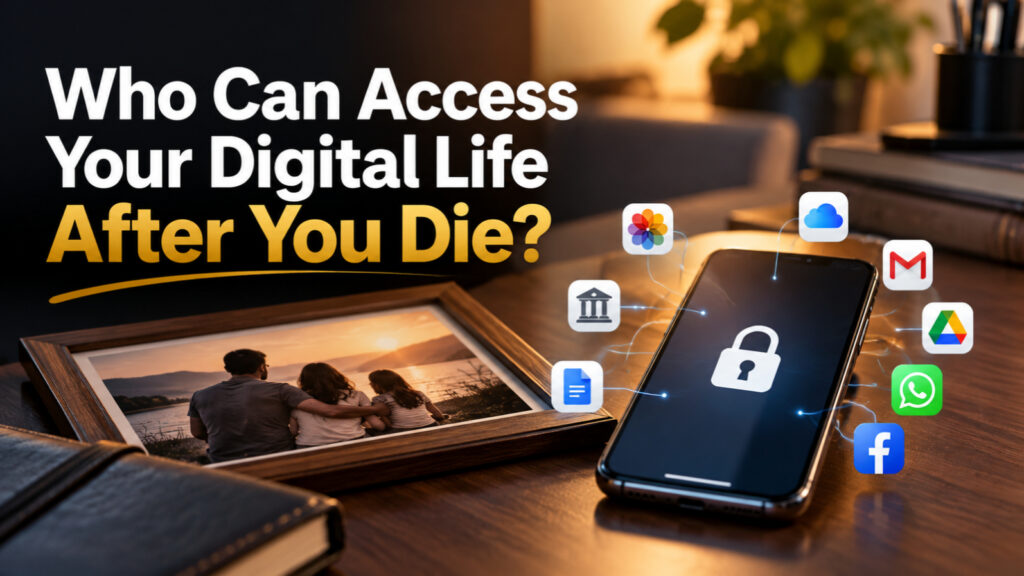
What Matters Most
- Being family doesn't guarantee digital access. Technology companies have different policies for accounts belonging to someone who has died.
- Your digital life contains more than memories. It may also hold financial information, important documents, business records and services your family depends on.
- Preparation doesn't mean sharing every password. It means deciding what should be preserved, who should manage it and how they can do so securely and legally.
Your questions, answered.
A little more clarity.
If You Disappeared From the Digital World Tomorrow, What Would Your Family Actually Lose?
Imagine your family knows where you keep your house keys, important documents and bank statements.
But nobody knows where you saved ten years of family photographs.
Your insurance policy is stored in an email account they cannot open. Important files are locked inside cloud storage. Your business website has only one administrator. And the phone containing access to several essential services requires a passcode nobody knows.
Nothing has physically disappeared. Yet much of it may suddenly become inaccessible.
The real problem isn’t how many digital accounts you own. It’s how much of your family’s life depends on access that only you control.
Does Your Family Have the Right to Open Your Accounts After Your Death?
Not automatically.
Being a spouse, child or legal heir does not necessarily grant unrestricted access to someone’s email, private messages, cloud files or online accounts.
Access depends on applicable law, the provider’s terms, the type of information requested and any arrangements made before death.
There is also a difference between inheriting an asset and being permitted to sign in to the account that manages it.
The question to ask: Does your family need ownership, access to specific information, permission to manage an account or simply a way to close it?
Those are four different needs.
What Happens to Your Google, Apple, Microsoft and Social Media Accounts?
Some major platforms offer arrangements for what happens after an account holder dies or becomes inactive. But they do not provide identical rights.
| PLATFORM | WHAT YOUR FAMILY SHOULD KNOW |
|---|---|
| Inactive Account Manager lets you choose trusted contacts and specific data to share after a chosen period of inactivity. | |
| Apple | A Legacy Contact can request access to eligible Apple Account data using an access key and required documentation. |
| Microsoft OneDrive | Digital legacy allows a designated trusted contact to obtain read-only access to files through a defined process. |
| A legacy contact can manage certain aspects of a memorialized profile, but cannot sign in as the deceased person or read private messages. |
These arrangements have important restrictions.
For example, Apple’s Legacy Contact feature does not grant access to passwords and passkeys stored in iCloud Keychain. Google’s Inactive Account Manager works after a specified period of inactivity, not simply when someone dies.
And memorializing a Facebook account is different from inheriting control over its private contents.
The important lesson: One trusted family member cannot automatically inherit your entire digital identity through a single setting.
What Is the Most Important Digital Account Your Family Might Overlook?
Possibly your primary email address.
Think about everything connected to it: insurance documents, service notifications, cloud accounts, subscription receipts, professional contacts and account recovery processes.
An email inbox can function like an index to someone’s digital life, even when it doesn’t directly contain the underlying assets.
But accessing that inbox may itself require additional verification, a recovery device or approval from the provider.
This makes your primary email account an important place to start digital estate planning.
Ask yourself: If your family could not access your main email, would they still know which important accounts and obligations exist?
If the answer is no, the problem begins long before any password is entered.
Could Your Family Lose Precious Memories Even When You Have Cloud Backup?
Yes. Backing up a photograph and making it accessible to the right person are different tasks.
Your photos may be safely stored in the cloud, but your family might not know which account contains them, how to request access or whether the account could eventually be deleted.
Google, for example, reserves the right to delete personal accounts and their data after at least two years of inactivity, subject to its policy.
A more resilient arrangement separates storage from inheritance.
Keep an organized copy of irreplaceable family photographs in a secure location that a trusted person can access when appropriate. Maintain another independent backup and periodically check that your copies are usable.
The objective isn’t to give everyone unrestricted access to your photographs.
It’s to ensure the memories you want preserved do not depend on a single account remaining accessible forever.
What About the Money, Business and Responsibilities Hidden Inside Your Phone?
A digital legacy isn’t limited to photographs and social media.
Consider the responsibilities that might become difficult to manage if you were suddenly unavailable:
- Bank accounts, investments, insurance policies and loan records.
- Websites, domain registrations, hosting and business administration.
- Paid subscriptions and recurring payments.
- Tax records, important contracts and digital documents.
- Online stores, creator accounts and income-generating services.
Your family may not need your passwords to every service. They may first need to know what exists, which organizations to contact and what formal process applies. For financial accounts, lawful access or transfer generally depends on the institution and the relevant legal arrangements. A password is not a substitute for inheritance documentation or authorized account administration. For business owners, the challenge can be even more immediate. If only one person controls the website, hosting, business email or payment systems, their absence may interrupt operations before anyone begins handling their estate. A well-prepared business should have appropriately authorized backup administrators and documented continuity procedures while its owner is alive.
Should You Give Someone You Trust All Your Passwords?
Not necessarily. In fact, sharing every password can create new problems.
A person who holds all your credentials may gain access to private conversations, financial information and accounts that other people have no legitimate reason to view. Shared passwords can also create security risks
, violate service agreements or fail when an account requires additional authentication.
Keep these arrangements consistent with everyday digital security habits, including unique passwords and additional account protection.
A better approach is to separate your digital life into three groups:
Preserve: Family photographs, meaningful documents and memories you want others to keep.
Manage: Financial obligations, important services and business responsibilities that someone may need to handle.
Keep private: Personal conversations, sensitive information and accounts you do not want transferred.
Then use provider-supported legacy features, secure emergency-access arrangements, lawful estate instructions and independent backups where appropriate.
Good digital planning is not about giving someone access to everything. It’s about giving the right person an appropriate way to handle what matters.
Can You Prepare Your Digital Life Without Turning It Into a Complicated Legal Project?
You can begin with a simple inventory. More complex financial, business or legal arrangements may require professional advice.
For the wider context, explore how digital preparations fit into broader estate planning.
The Digital Life Access Map
| WHAT MATTERS | QUESTIONS TO ANSWER |
|---|---|
| Family memories | Where are the original photos and important videos? Is there an accessible backup? |
| Essential accounts | Which email, cloud and service accounts are important? |
| Money and obligations | Which institutions, policies, payments and liabilities should someone know about? |
| Work and business | Who can maintain essential systems if you are unavailable? |
| Personal wishes | Which information should be preserved, managed, deleted or kept private? |
| Trusted people | Who should act, where are the instructions, and do they understand the responsibility? |
The inventory should record account names, purposes, relevant providers, designated contacts and where secure access instructions are stored.
It should not be an unsecured document containing every password, recovery code and identity record. Store sensitive instructions using an appropriately protected method, and make sure the trusted person knows how to find them when necessary.
What Is One Thing You Can Do Today That Could Make Life Easier for Your Family Later?
Choose one trusted person and make a plan for one important digital account.
Start with the account that holds your most valuable family memories or essential records.
Check whether its provider offers a legacy or inactivity feature. Understand exactly what that feature permits. Complete the setup if it suits your wishes, and make sure your chosen contact knows their role.
Then arrange a reliable backup of the information you want preserved.
You do not need to organize your entire digital life in one afternoon. But one correctly configured arrangement is more useful than a vague intention to deal with everything someday.
One Last Question
If your family needed something important from your digital life tomorrow, would they know where to begin?
Perhaps the most meaningful part of digital legacy planning isn’t deciding what happens to your accounts after you die.
It’s recognizing how many people, memories and responsibilities depend on you while you’re alive.
We carefully protect our phones from strangers. We create strong passwords, enable two-factor authentication and lock away personal information.
Those protections are important.
But security and accessibility need to be planned together. Otherwise, the same safeguards that protect your information today may leave your family uncertain about how to recover what you wanted them to keep.
You don’t need to give away your privacy to prepare for the future.
You only need to make sure that what matters to you doesn’t become impossible for the people who matter to you.
Sources
- Google Account Help: About Inactive Account Manager (opens in a new tab)Supports Question 3: Google's Inactive Account Manager lets users designate trusted contacts and choose which account data to share after a specified period of inactivity.
- Apple Support: How to Add a Legacy Contact for Your Apple Account (opens in a new tab)Supports Questions 2, 3 and 7: Apple's Legacy Contact process, access key and documentation requirements, and exclusions for passwords, passkeys and purchased content.
- Microsoft Support: Preserve Your Digital Legacy with OneDrive (opens in a new tab)Supports Question 3: OneDrive Digital Legacy allows a designated trusted contact to receive read-only access to files and photos through Microsoft's access process.
- Facebook Help Center: Legacy Contacts (opens in a new tab)Supports Questions 2 and 3: Facebook legacy contacts can manage certain aspects of memorialized profiles but cannot log in as the deceased account holder or read private messages.
- Google Account Help: Inactive Google Account Policy (opens in a new tab)Supports Question 5: Google reserves the right to delete inactive personal accounts and their data after at least two years of inactivity, subject to its policy and exceptions.


Leave a Reply