


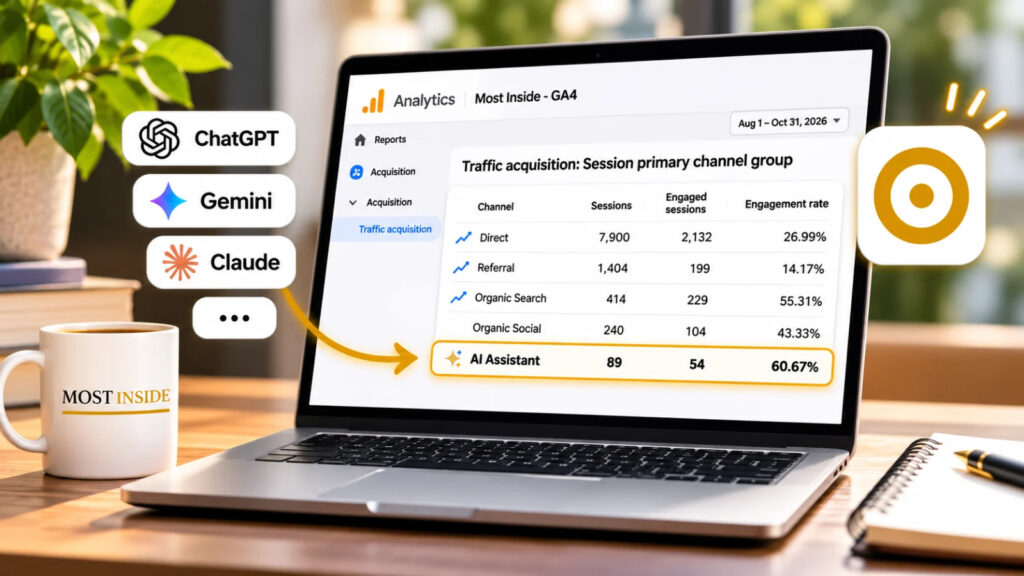
What Matters Most
- GA4 has an AI Assistant channel. Introduced in May 2026, it identifies sessions from recognized AI assistant referrals.
- The report doesn't capture every AI interaction. Google AI Overviews and AI Mode belong to Organic Search. AI mentions without a website visit aren't visible as sessions.
- Visitor quality needs context. Compare engagement, landing pages and meaningful actions before deciding whether AI referral traffic helps your website.
Know where your visitors come from.
Understand what the numbers leave out.
Does Google Analytics Now Track Visitors From AI Assistants?
Yes. On May 13, 2026, Google introduced a dedicated AI Assistant channel in GA4.
When Google Analytics recognizes a supported AI assistant as the referring source, it assigns the session to this channel. Examples include ChatGPT, Gemini, Claude and other supported assistants.
Google also introduced the ai-assistant medium and the (ai-assistant) campaign value for recognized referrals.
You don’t need to create a separate tracking tag to start using the default AI Assistant classification. Your website still needs GA4 to collect sessions correctly.
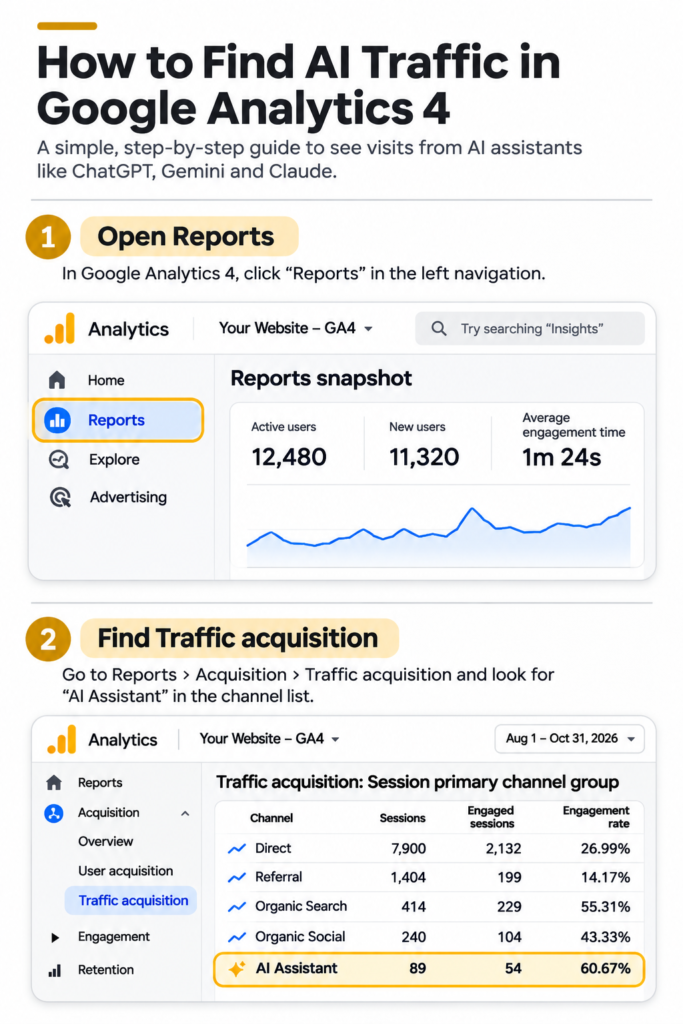
Where Do You Find AI Assistant Traffic in GA4?
Open your Google Analytics property and follow these steps:
- Select Reports from the left menu.
- Open Acquisition → Traffic acquisition.
- Choose a date range, such as the last 90 days.
- Find the table showing Session primary channel group or Session default channel group.
- Look for AI Assistant among the traffic channels.
The row shows metrics such as sessions, engaged sessions and engagement rate, depending on your report configuration.
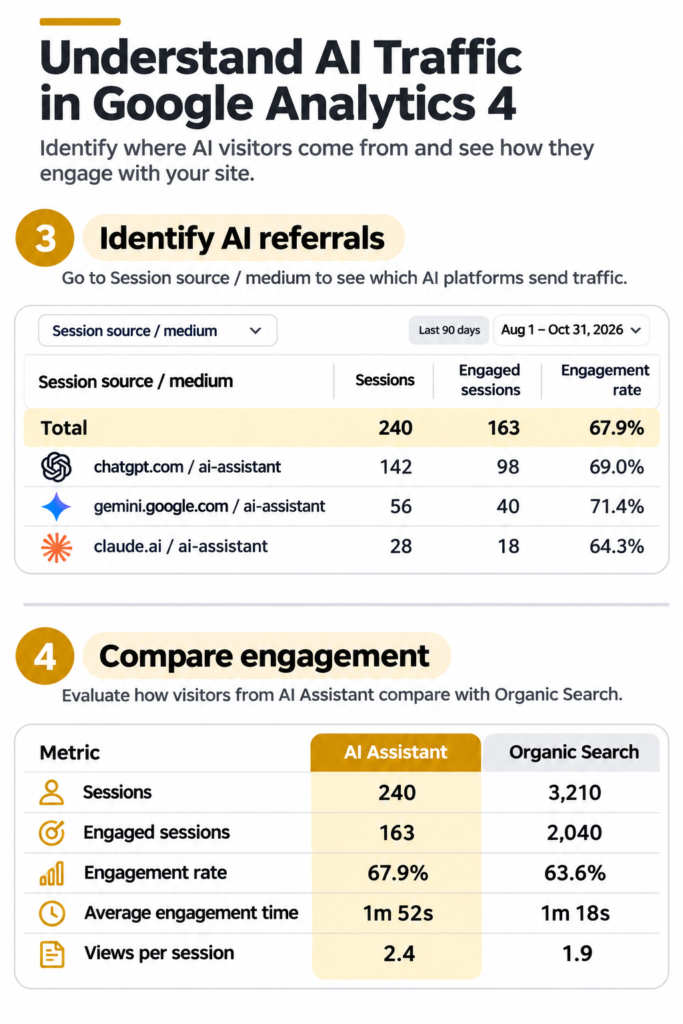
To investigate individual sources, change the table’s primary dimension to Session source / medium. You can also filter for the AI Assistant channel.
If the row is missing, GA4 might have no matching sessions for the selected period. Check your date range and report configuration before drawing conclusions.
Does GA4 Show Every Visit Influenced by AI?
No. GA4 measures website activity through available tracking information. It does not reveal every occasion when someone learns about your website through an AI-generated answer.
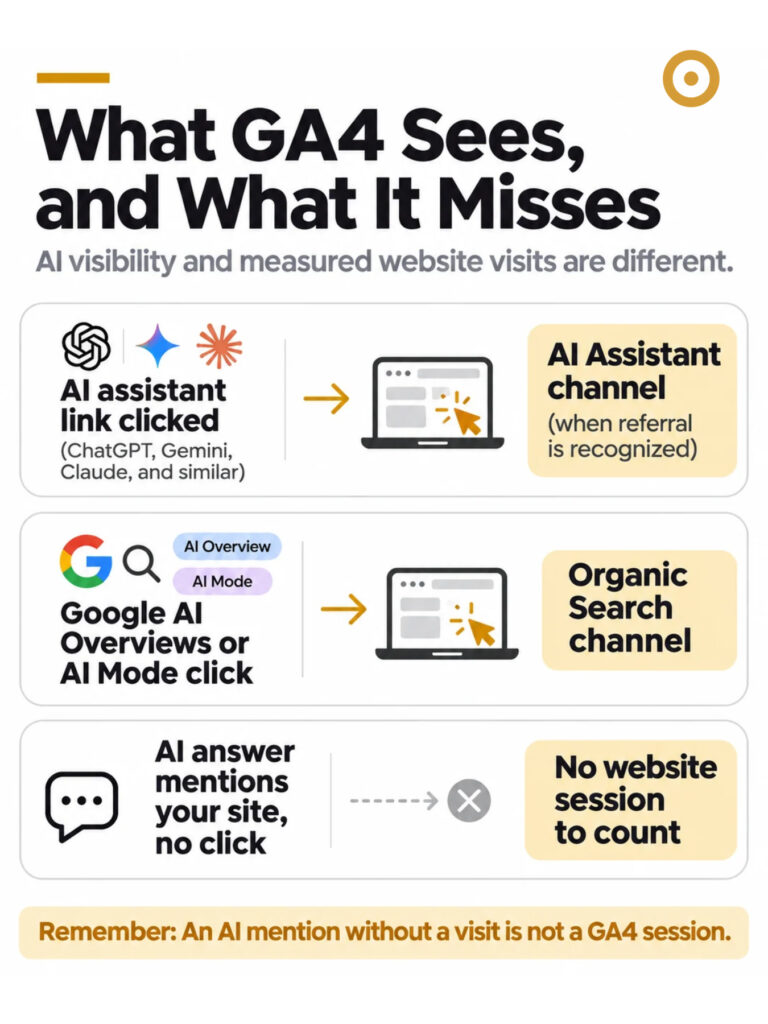
Three situations explain the difference.
Recognized AI assistant referral: Someone follows a link from a supported AI assistant to your website. GA4 may classify the visit under AI Assistant.
Google AI Overviews or AI Mode: Someone reaches your website through these Google Search experiences. GA4 includes the traffic within Organic Search rather than the AI Assistant channel.
AI mention without a click: An assistant mentions your website, but the person doesn’t open it. Your website receives no session to measure.
Missing referral information can also affect how GA4 attributes a visit.
This distinction matters when evaluating AI visibility. A website’s AI Assistant session count is not a complete measure of its presence in AI-generated answers.
Are Visitors From AI Assistants More Engaged Than Search Visitors?
The answer depends on your own data.
GA4 gives you several useful measurements:
- Sessions: Visits recorded for a traffic source.
- Engaged sessions: Sessions lasting at least 10 seconds, containing a key event, or recording at least two page or screen views.
- Engagement rate: The percentage of sessions classified as engaged.
- Key events: Actions you’ve identified as important to your business.
Compare these measurements across AI Assistant and Organic Search using the same reporting period.
For a publisher, you might also examine which articles receive AI referrals and whether those visitors explore another page or complete a meaningful action.
Avoid judging an entire channel from only a handful of visits. A high engagement rate based on a tiny sample offers limited evidence about typical visitor behavior.
Why Might Your AI Assistant Report Show Zero Traffic?
A zero doesn’t necessarily mean AI platforms never reference your website.
Possible explanations include no recognized referrals during the selected dates, visitors who never clicked through, referral details unavailable to GA4, or traffic classified elsewhere.
Start by checking whether GA4 records ordinary website visits correctly. Then inspect the reporting dates, default channels and session sources.
For more detailed investigation, examine your Traffic acquisition report rather than assuming the first dashboard number tells the whole story.
What Should Website Owners Measure Next?
Begin with four practical questions.
Where are AI referrals coming from? Use Session source / medium to inspect recognized sources.
Which pages receive those visits? Identify the landing pages attracting AI-referred visitors.
What do visitors do afterward? Compare engagement and relevant key events with other channels.
Is the pattern changing? Review consistent reporting periods rather than reacting to a single day’s numbers.
For publishers, traffic volume alone rarely tells the complete story. The useful analysis connects acquisition with reader behavior and business goals.
One Question Worth Remembering
Are you measuring how often AI assistants mention your website, or how many people reach your website through them?
Google Analytics helps with the second question.
Understanding the difference will prevent you from treating incomplete referral figures as a complete picture of AI discovery.
Sources
- Google Analytics Help: What's New in Google Analytics (opens in a new tab)Supports Question 1. Confirms the May 13, 2026 introduction of the AI Assistant channel, recognized AI referrals, the ai-assistant medium and campaign classification.
- Google Analytics Help: Default Channel Group (opens in a new tab)Supports Questions 1 and 3. Defines the AI Assistant channel and confirms that Google AI Overviews and AI Mode are excluded from it.
- Google Analytics Help: Traffic Acquisition Report (opens in a new tab)Supports Questions 2, 5 and 6. Explains how to access Traffic acquisition reports, inspect session sources and compare traffic channels.
- Google Analytics Help: Engagement Rate and Bounce Rate (opens in a new tab)Supports Question 4. Defines engaged sessions and explains how GA4 calculates engagement rate.
Was this helpful?
What could be better? (optional)



Leave a Reply