


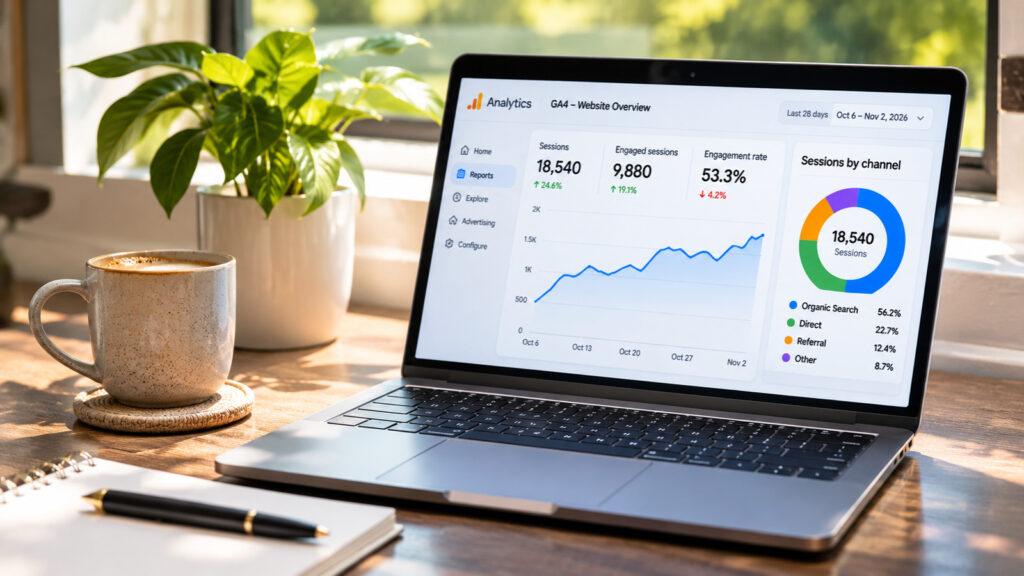
What Matters Most
- A recorded visit doesn't always prove someone read your content. GA4 measures website activity, not whether a person understood an article.
- Unusual traffic isn't automatically bot traffic. Missing referral details, tracking problems and genuine short visits can produce confusing reports.
- Investigate patterns before making decisions. Compare traffic sources, engagement, landing pages and meaningful actions.
The numbers tell a story.
But is it the whole story?
1. Does Every Google Analytics Visit Come From a Real Person?
No. Although Google Analytics automatically excludes traffic from known bots and spiders, its protection does not guarantee that every remaining visit represents a genuine human reader.
Some automated activity may escape detection. Tracking errors can also affect reported activity.
Google doesn’t show how much known bot traffic it excludes, so you cannot calculate the exact number of human visitors by subtracting a visible bot count.
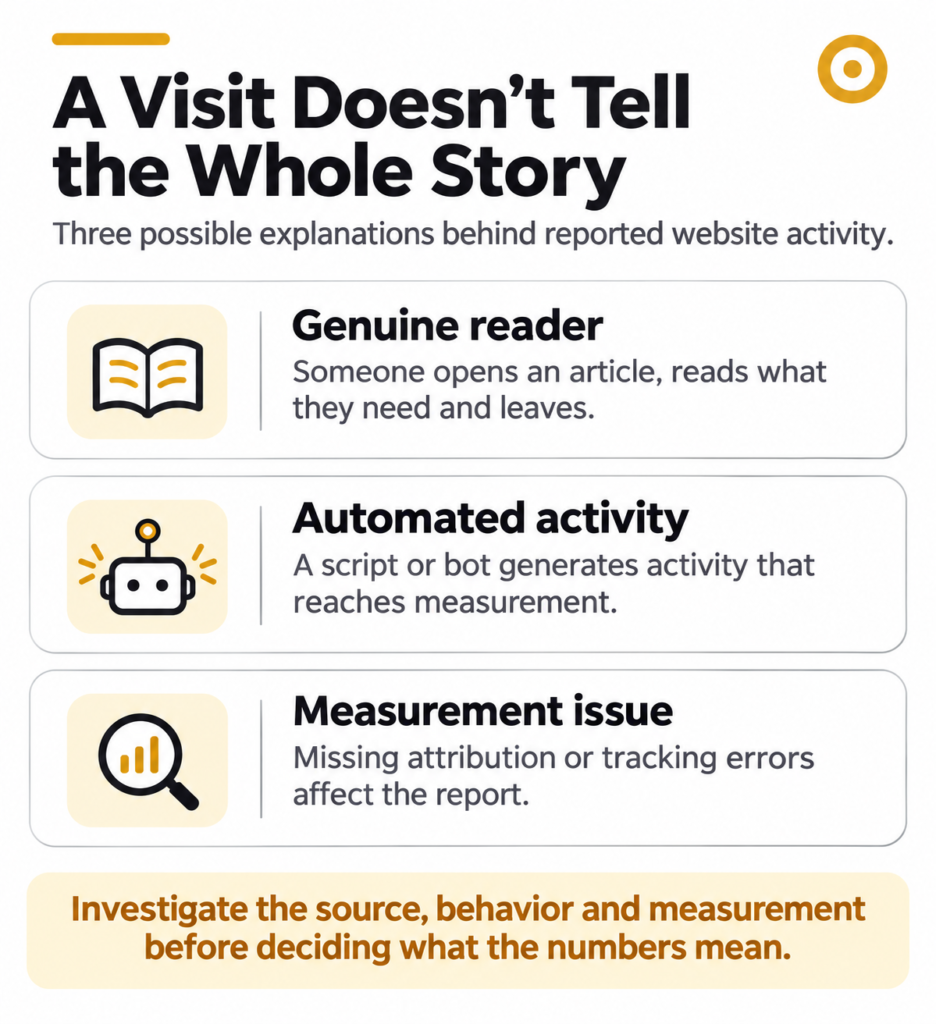
Treat your reported sessions as measured website activity, not a verified count of people reading.
2. Why Does Your Website Show So Much Direct Traffic?
In GA4, Direct traffic generally means the system doesn’t have a clear source to attribute the visit to.
Some visitors type your website address, use bookmarks or open saved links. Others arrive through channels where referral information is missing.
For example, an untagged email link or a redirect that removes tracking information may leave GA4 without enough details to identify the source.
A large Direct traffic percentage deserves investigation, especially if it changes suddenly.
It doesn’t automatically indicate loyal readers, fake visitors or a tracking failure.
3. How Do You Recognize Suspicious Referral Traffic?
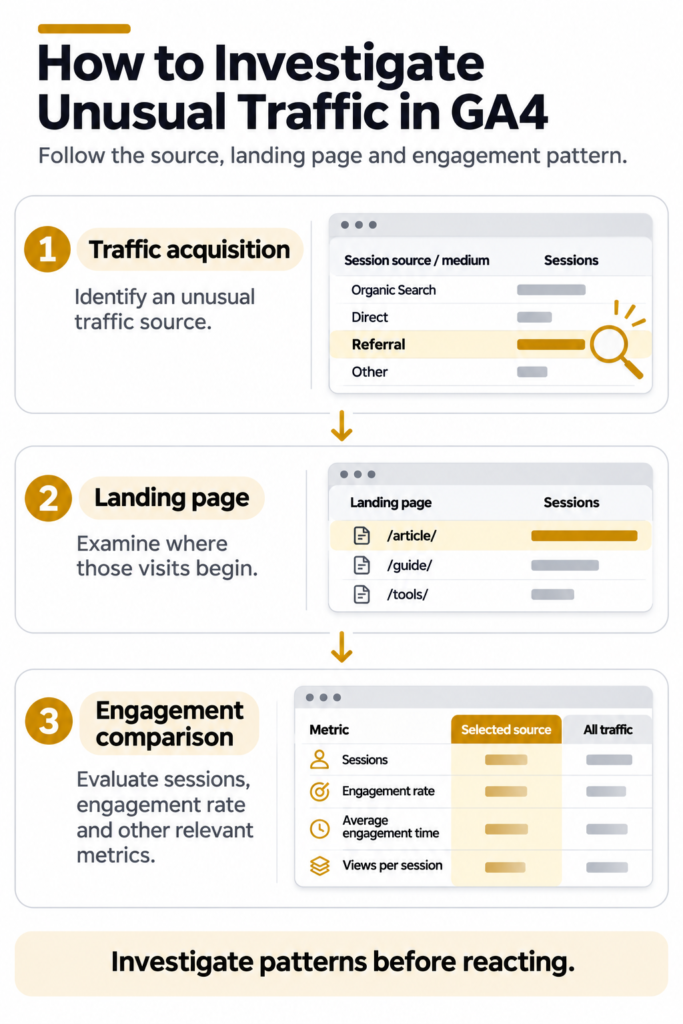
Start by examining the websites appearing in your referral reports.
Open Google Analytics 4 and follow:
Reports → Acquisition → Traffic acquisition
Change the primary dimension to Session source / medium.
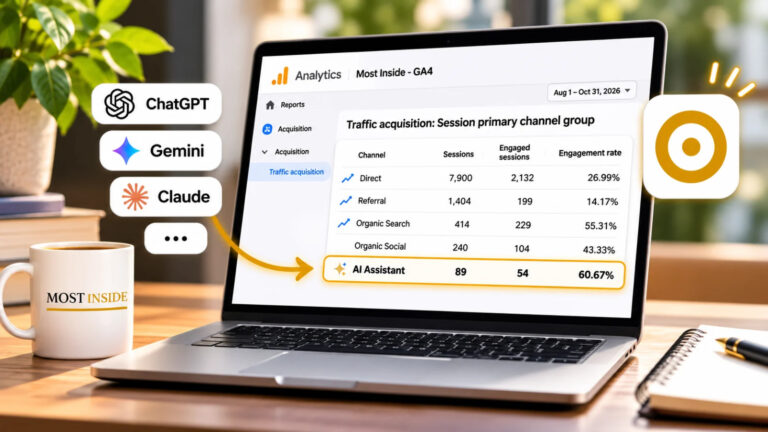
If you’re also investigating visitors from AI platforms, our guide to tracking AI traffic in Google Analytics 4 explains where those referrals appear and what the reports leave out.
Look for unusual combinations, such as:
- A source sending a sudden burst of sessions.
- Hundreds of visits with almost no recorded engagement.
- Unfamiliar referring domains with inconsistent traffic patterns.
- Many sessions arriving on pages unrelated to the apparent referring website.
These patterns are reasons to investigate, not proof of bots or referral spam.
Check whether the referring website genuinely links to your content. Review when the traffic arrived and which pages received it.
If you manage your website’s server or security logs, those records may provide additional evidence.
Avoid blocking a source or changing permanent analytics settings based on one unusual report.
4. Does a Low Engagement Rate Mean Visitors Are Bots?
No. GA4 classifies a session as engaged when it meets at least one of these conditions:
- It lasts longer than 10 seconds.
- It contains a key event.
- It records at least two page or screen views.
Engagement rate is the percentage of sessions meeting those conditions.
Consider someone opening an article, finding a short answer and leaving after eight seconds. If no other engagement condition is met, GA4 records a non-engaged session.
That person may still have found exactly what they needed.
An automated visit might also generate activity that resembles engagement.
Engagement rate is useful for investigating behavior. It isn’t a reliable human-versus-bot test.
5. How Do You Check Whether People Are Reading Your Articles?
Start with the pages and sources behind the numbers.
In GA4, use the Traffic acquisition report to compare channels and referral sources. Then examine the landing pages receiving those visits.
Look at engagement time, page views and relevant events where they are configured correctly.
These metrics answer different questions.
Engagement time estimates how long your website was actively in focus.
Page views show how often pages were viewed.
Scroll events provide evidence of reaching a tracked scroll threshold. GA4’s standard enhanced-measurement scroll event is triggered when a visitor first reaches approximately 90% of a page’s vertical depth.
None of these measurements proves that someone read every paragraph or understood the content.
For a publication, useful actions might include opening a related article, using a comparison tool or completing an intentionally designed interaction.
Choose actions that reflect your editorial goals rather than treating every click as success.
6. What Should You Do When Your Traffic Numbers Look Unusual?
Investigate before reacting.
Begin with these checks:
- Compare dates. Did the change happen gradually or during a short spike?
- Inspect sources. Which channels or referring websites contributed to the change?
- Review landing pages. Where did the visits begin?
- Compare engagement. Do the sources behave differently from your normal traffic?
- Check measurement. Are tags, events and referral settings collecting information correctly?
If the evidence still suggests unwanted automated activity, examine available hosting, CDN or security records before deciding on corrective action.
Keep a record of the date range, observations and changes you make. This helps distinguish an actual traffic problem from a reporting problem.
One Question Worth Asking
If your website received twice as many visits tomorrow, what evidence would tell you that twice as many people found your content useful?
Traffic numbers provide a starting point.
Understanding readers requires better questions, reliable measurement and careful interpretation.
Measure what visitors do. Investigate what the numbers cannot explain.
Sources
- Google Analytics Help: Known Bot-Traffic Exclusion (opens in a new tab)Question 1: Confirms GA4 automatically excludes known bots and spiders, but does not disclose the amount excluded.
- Google Analytics Help: Understand (direct) / (none) Traffic (opens in a new tab)Question 2: Explains Direct traffic, missing referral information, campaign-tagging issues and redirects.
- Google Analytics Help: Traffic Acquisition Report (opens in a new tab)Questions 3 and 6: Explains how to examine acquisition channels, session sources and source/medium reporting.
- Google Analytics Help: Engagement Rate and Bounce Rate (opens in a new tab)Question 4: Defines engaged sessions and explains how engagement rate is calculated.
- Google Analytics Help: Automatically Collected Events (opens in a new tab)Question 5: Explains the scroll event and its approximately 90% vertical-depth threshold when enhanced measurement is enabled.
Was this helpful?
What could be better? (optional)



Leave a Reply