

What Matters Most
- Cancellation doesn't automatically mean a refund. A payment made before cancellation may still cover an existing billing period.
- Deleting an app doesn't cancel its subscription. You need to cancel through the correct billing provider.
- Keep proof of cancellation. If a company charges you incorrectly, your confirmation email and payment records can help resolve the dispute.
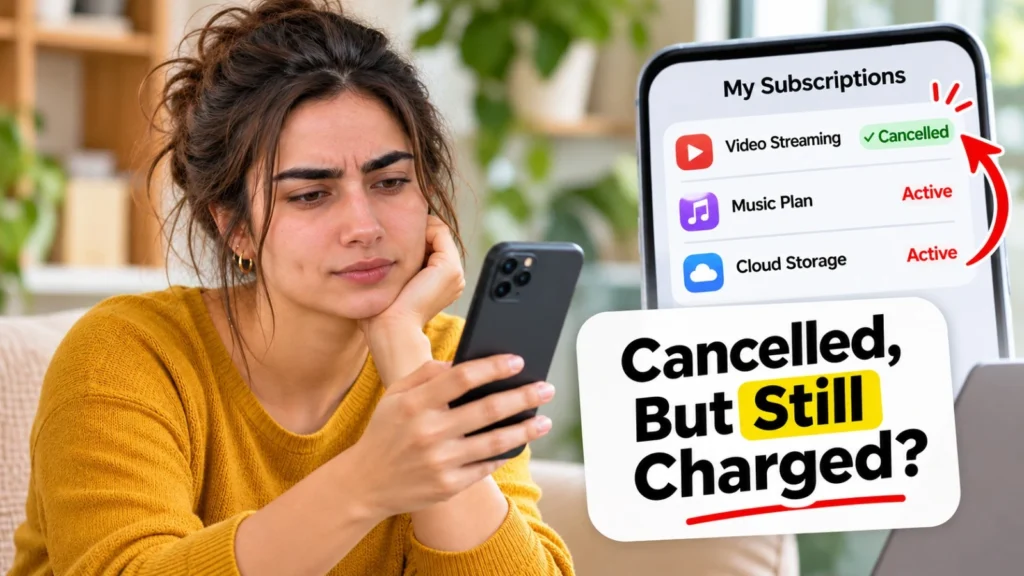
You cancelled a subscription, but another payment appeared. It could be an earlier renewal, an incomplete cancellation, or a different account still being billed. Here’s how to find the cause and stop an incorrect charge.
You pressed Cancel. Maybe you even received a confirmation email.
Then another payment appeared on your bank statement.
It’s frustrating, especially when you thought everything was settled. But a charge after cancellation doesn’t always mean something went wrong.
The important thing is to check when you cancelled, who billed you, and whether the payment was already processed.
1. Why Are You Still Being Charged After Cancellation?
Usually, one of a few common situations explains it.
| What happened? | What to check |
|---|---|
| Charged just before cancelling | Renewal date and billing period |
| Deleted the app | Whether the subscription is still active |
| Service still works | Whether paid access continues until expiry |
| Unfamiliar charge | Other accounts or billing providers |
| Charged after confirmed cancellation | Cancellation proof and refund options |
For example, imagine your subscription renews on the 15th of every month.
You cancel on the 16th, but the payment has already gone through.
That charge may cover the new billing period. Whether you’re entitled to a refund depends on the service’s terms and applicable consumer protections.
Also, check whether the transaction is completed or still pending. A pending card authorization isn’t necessarily a final charge.
Start with the payment date and your cancellation confirmation. These two details often explain what happened.
2. Did Your Cancellation Actually Go Through?
Closing an app, uninstalling it, or simply stopping its use doesn’t automatically cancel a subscription.
You need to check the account that manages the recurring payment.
If you subscribed through Apple:
Open Settings → Your name → Subscriptions on your iPhone or iPad.
Select the subscription and check its status. If a cancellation option is available, follow the instructions to complete it.
If you subscribed through Google Play:
Open Google Play → Profile picture → Payments & subscriptions → Subscriptions.
Select the subscription and check whether it remains active.
If you don’t see it, check whether you purchased it through another Google account.
If you subscribed directly through a website:
Sign in to the service and check its Billing, Membership, or Subscription settings.
If there’s no clear cancellation option, contact the company’s official support team.
A useful habit is to save the cancellation confirmation rather than relying on memory.
3. Why Does a Cancelled Subscription Still Show as Active?
Because cancelling future renewals and ending your current access aren’t always the same thing.
Suppose you’ve paid for a monthly streaming subscription and cancel halfway through the month.
The company may let you continue watching until your paid period ends.
That doesn’t necessarily mean it will charge you again.
Look for these details:
Renews on: A future payment may still be scheduled.
Expires on: Your paid access is expected to end on that date.
Cancelled: Automatic renewal has been stopped, although existing payment obligations may remain.
Some services also offer fixed-term plans. Ending automatic renewal may not cancel an agreed payment commitment.
The key is to confirm that future billing has stopped, not just whether you can still access the service.
4. What If You Cancelled a Free Trial but Still Got Charged?
Check two dates: when the free trial ended and when you cancelled.
Many free trials convert into paid subscriptions automatically unless you cancel before the stated deadline.
If you cancel too late, the first payment may already have been processed.
But if you cancelled within the required period and were still charged, contact the billing provider.
Keep:
The free-trial offer and renewal terms, if available.
The cancellation date and confirmation.
The transaction date and amount.
These records help establish whether the payment was correct.
A refund isn’t guaranteed in every case, but having clear evidence gives you a better starting point.
5. How Do You Stop an Incorrect Recurring Charge?
First, identify who actually billed you.
A subscription purchased through Apple or Google Play may appear under that platform’s billing name rather than the name of the app.
If you have multiple email addresses or family accounts, check whether another account has an active subscription.
Once you’ve identified the payment, follow these steps.
Step 1: Confirm the charge.
Check the amount, transaction date, billing period, and cancellation status.
Step 2: Contact the billing provider.
Explain when you cancelled and ask why the charge occurred.
Step 3: Request a refund if appropriate.
Use the provider’s official refund or support process. Include your confirmation email or screenshots.
Step 4: Contact your bank or card issuer if the charge remains disputed.
Ask about disputing the transaction and stopping future recurring payments.
Do this promptly because payment disputes may have deadlines.
If the payment appears unauthorized or fraudulent, report it to your bank immediately rather than waiting for the subscription company to respond.
Remember: Cancelling a subscription, requesting a refund, and disputing a payment are three different actions.
6. What About UPI AutoPay and Card Mandates in India?
If you’re in India, your subscription might use UPI AutoPay or a recurring card payment mandate.
You can check active mandates through the relevant UPI app or your bank’s payment-management options.
For example, in an app that supports mandate management, look for a section such as AutoPay, Mandates, or Recurring Payments.
If you find an unwanted active mandate, review the payment details and use the available cancellation or revocation option where permitted.
But there’s an important difference:
Cancelling a payment mandate stops that payment authorization. It doesn’t necessarily cancel your subscription agreement with the company.
To avoid future disputes, cancel the subscription with the service provider and separately confirm that the associated recurring-payment authorization is no longer active.
If you can’t stop a mandate or an unexpected payment continues, contact your bank through its official support channel.
Before You Close the Subscription Page
Use this quick checklist whenever you cancel a paid service.
- Confirm you’re cancelling the correct subscription and account.
- Check the renewal date and any remaining billing commitment.
- Complete every cancellation step.
- Save the final confirmation email or screenshot.
- Check your next bank statement for an unexpected renewal.
One Last Question
If you cancelled a subscription today, could you prove when you cancelled it?
That confirmation may seem unimportant at the time. But if another payment appears, it could be the most useful record you have.
Cancelling should take more than a tap only when necessary. Making sure the cancellation went through is worth the extra moment.
Sources
- Apple Support — Cancel a Subscription from Apple (opens in a new tab)How to find and cancel Apple-billed subscriptions and confirm cancellation.
- Google Play Help — Cancel, Pause, or Change a Subscription (opens in a new tab)Uninstalling an app does not cancel its subscription; paid access may continue after cancellation.
- Google Play Help — Subscribe to Services or Content (opens in a new tab)Renewal authorization holds can appear before the billing date, including up to five days beforehand in India.
- Federal Trade Commission — Getting In and Out of Free Trials, Auto-Renewals, and Negative Option Subscriptions (opens in a new tab)Free-trial terms, retaining cancellation evidence, monitoring charges and disputing improper payments. US-specific consumer advice.
- Reserve Bank of India — Digital Payments: E-mandate Framework, 2026 (opens in a new tab)India’s recurring-payment authorization framework, including modification and withdrawal of e-mandates.
Was this helpful?
What could be better? (optional)



Leave a Reply